20 Creative Instagram Post Templates to Make Your Feed Stand Out
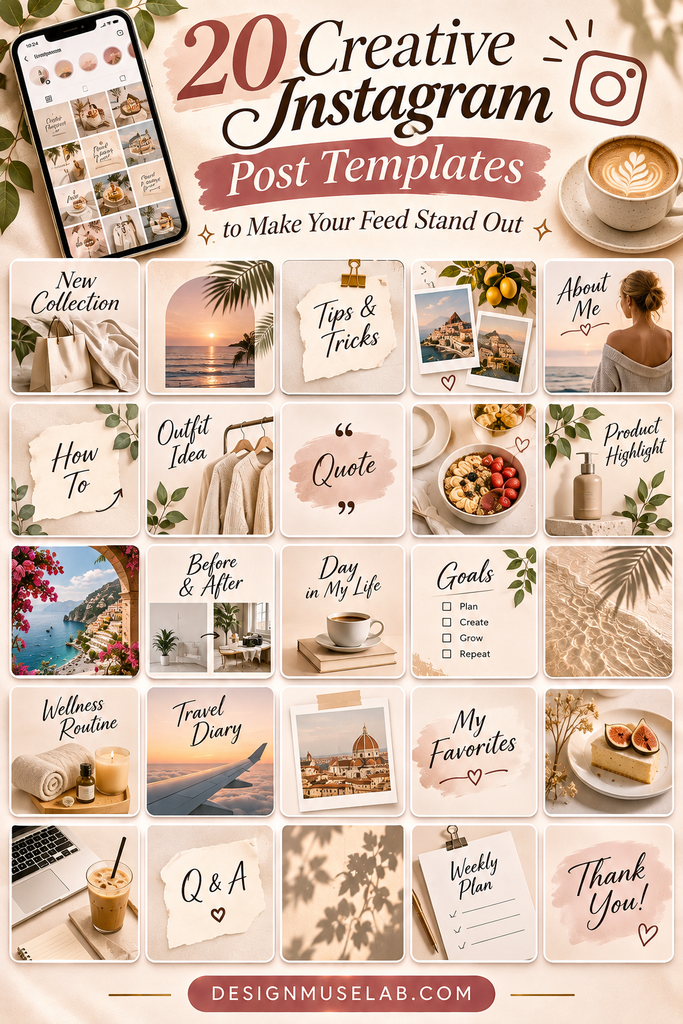
A beautiful Instagram feed starts with a consistent visual style. Whether you’re building a personal brand, promoting a small business, or sharing creative content, well-designed post templates can help you create polished graphics without starting from scratch every time.
In this collection, you’ll find 20 creative Instagram post template designs, from minimalist and boho-inspired layouts to versatile bundles and product-focused graphics. Explore the options and find a style that fits your content.
20 Creative Instagram Post Templates
The right template can make content creation easier while helping your posts look connected. Browse these options to discover layouts for branding, lifestyle content, product promotions, and more.

1. Aesthetic Instagram Post Templates Pack
Start with a versatile aesthetic template pack designed for creating a coordinated Instagram presence. It’s a useful option when you want your posts to share a consistent visual direction while covering different content topics.
Explore Templates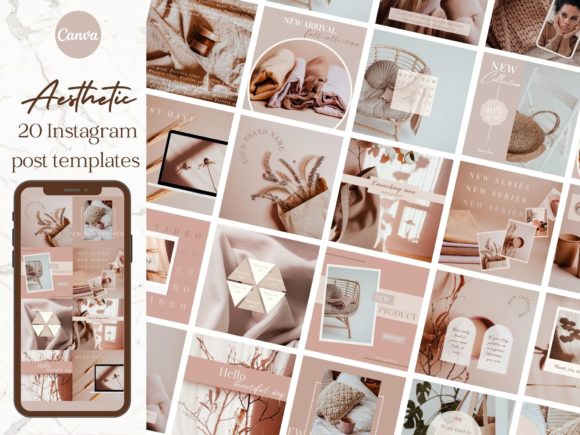
2. Aesthetic Brand Instagram Post Templates
Give your brand a more unified look with templates focused on aesthetic branding. These layouts can help organize announcements, brand messages, promotional graphics, and everyday updates into a recognizable feed.
Explore Templates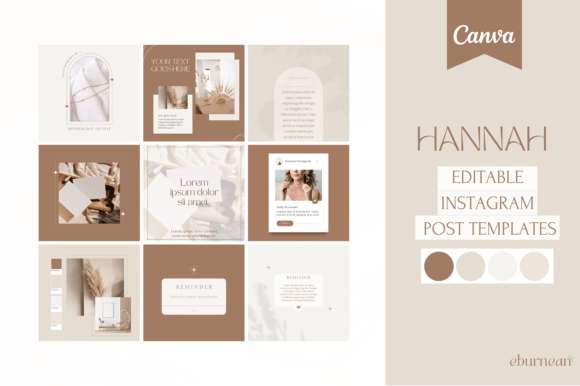
3. Boho Aesthetic Instagram Post Templates
Boho-inspired designs are a lovely direction for creators who enjoy relaxed, artistic visuals. Use this style for lifestyle posts, handmade products, creative projects, or content with a natural and laid-back atmosphere.
Explore Templates
4. Minimalist Instagram Post Canva Template
Keep your feed clean and uncluttered with a minimalist approach. Simple layouts are especially useful for quote graphics, short announcements, product highlights, and posts where the message should take center stage.
Explore Templates
5. 10 Aesthetic Instagram Post Templates
This collection offers a starting point for creating attractive, coordinated social media graphics. A smaller set can be a practical choice if you want a focused selection of layouts rather than a large template library.
Explore Templates
6. Instagram Feed Post Kit – Linen
Choose a linen-inspired visual direction for a softer, understated feed. This kind of aesthetic can work well for lifestyle creators, boutique brands, home-related content, and businesses that prefer a calm presentation.
Explore Templates
7. 60 Instagram Post Templates for Canva
A larger template collection can give you more flexibility when planning different types of posts. Use a varied set of layouts to create content for tips, promotions, announcements, inspirational messages, and brand updates.
Explore Templates
8. 100 Editable Instagram Post Templates
If you regularly publish on Instagram, a broad collection of editable templates can help you build a reusable content library. Adapt the designs to different topics while keeping your overall branding consistent.
Explore Templates
9. Instagram Post Templates
A general-purpose template set can be a useful addition to your social media toolkit. Consider using layouts like these for regular updates, featured content, promotional messages, and other everyday posts.
Explore Templates
10. Instagram Canva Templates
Canva-based templates are worth exploring if you prefer working with a familiar online design editor. They can provide a convenient starting point for creating graphics that match your brand’s colors, fonts, and content style.
Explore Templates
11. Attractive Instagram Post Templates
Refresh your content with layouts designed to give posts an appealing presentation. These templates can be adapted for featured announcements, product information, quotes, and other graphics you want to highlight in your feed.
Explore Templates
12. 15 Attractive Instagram Post Templates
This set offers another option for creators who want a compact collection of ready-made post designs. Use the layouts as a foundation for a consistent posting style and customize the content to suit your audience.
Explore Templates
13. Instagram Post Templates Canva 6
Explore another Canva template option for creating coordinated Instagram graphics. Customize the wording, imagery, and colors to make each post fit your content calendar and visual identity.
Explore Templates
14. Instagram Post Templates Canva 5
Another option for Canva users looking to expand their collection of social media designs. Try adapting the layouts for educational content, personal updates, business announcements, or product features.
Explore Templates
15. Instagram Post Templates Canva Template 2
Add more variety to your content workflow with this additional template option. A reusable layout can make it easier to prepare graphics for recurring topics without designing every post from the beginning.
Explore Templates
16. Instagram Post Canva Template Bundle 2
Bundles can be useful when you want several design directions available for different content categories. Use a consistent selection of colors and typography to make the finished posts feel like part of one brand.
Explore Templates
17. Instagram Post Template Bundle
A template bundle is worth considering if you want multiple layouts for your social media planning. Mix different post formats while keeping a recognizable visual style across your profile.
Explore Templates
18. Social Media Posts Templates Bundle
Look beyond individual Instagram graphics with a broader social media template bundle. It may be a helpful starting point for organizing visual content across different post themes and promotional needs.
Explore Templates
19. Product Branding Instagram Post Template
Product-focused graphics can help present items clearly and give your promotional content a more organized look. Consider this type of template for product introductions, feature highlights, launches, and brand storytelling.
Explore Templates
20. Aesthetic Coffee Shop Instagram Post
Coffee shops and café creators can use a dedicated visual direction to share menu highlights, seasonal drinks, special announcements, and everyday café moments. This design is a niche-specific option for coffee-related social media content.
Explore TemplatesHow to Choose the Right Instagram Post Templates
With so many design styles available, choosing a template pack is easier when you first think about your content and the look you want your profile to communicate.
1. Match the templates to your niche
A beauty brand, lifestyle creator, café, and handmade shop may all need different visual approaches. Choose designs that make sense for your subject and audience.
2. Think about your brand identity
Consider your usual colors, typography, photography, and overall tone. Templates should complement these elements rather than make your feed feel disconnected.
3. Consider how often you post
If you publish frequently, a larger collection may offer more variety. If you only need occasional graphics, a smaller set may be enough.
4. Check the editing format
Review the product listing to confirm which editing application and file formats are included. Make sure they fit the tools you prefer to use.
5. Look for reusable layouts
Templates that can be adapted for several content types may save time. Think about whether you can use them for tips, announcements, promotions, and regular updates.
Tips for Creating a Standout Instagram Feed
Great templates are only part of the process. How you use them also affects the overall appearance of your profile. Keep these simple design principles in mind:
- Choose a consistent color palette: Repeating a few brand colors helps your posts look connected.
- Use readable typography: Make sure headlines and important information are easy to read on a phone.
- Keep layouts balanced: Avoid filling every available space with text, icons, and decorative elements.
- Use high-quality images: Clear, relevant photos help your graphics look more polished.
- Vary your content: Alternate educational posts, product features, announcements, and behind-the-scenes updates.
- Customize before publishing: Replace sample text and images, check spacing, and make sure every detail fits your brand.
- Plan your feed as a whole: Preview how several posts look together instead of judging each graphic in isolation.
Frequently Asked Questions
What are Instagram post templates?
Instagram post templates are pre-designed layouts that you can customize with your own text, images, colors, and branding. They provide a starting point for creating social media graphics.
Why should I use Instagram post templates?
Templates can make content creation more organized and help maintain a consistent visual style. They are especially useful when you publish regularly or create graphics for a business or personal brand.
Can I customize Instagram templates?
Many templates are designed to be edited, but the available customization options depend on the individual product. Check the listing for its supported software, included files, and editing instructions before choosing.
How do I make my Instagram feed look consistent?
Use a coordinated color palette, repeat a small selection of fonts, and choose layouts that complement one another. Planning several posts together can help you maintain a cohesive appearance.
How many templates do I need?
It depends on how often you post and how much variety your content requires. A small set of flexible designs may be enough for occasional posting, while frequent creators may prefer a larger collection.
Final Thoughts
The right Instagram post templates can make your content creation process more enjoyable and help your feed feel more intentional. Whether you prefer minimalist layouts, boho aesthetics, versatile bundles, or product-focused graphics, there are plenty of styles to explore.
Browse the 20 options above, consider your brand’s visual identity, and choose templates that suit the kind of content you want to share. With a little customization and planning, you can build a feed that feels consistent, recognizable, and distinctly yours.
Affiliate Disclosure: This article contains affiliate links. If you make a purchase through these links, we may earn a commission at no additional cost to you.
You may also like:
