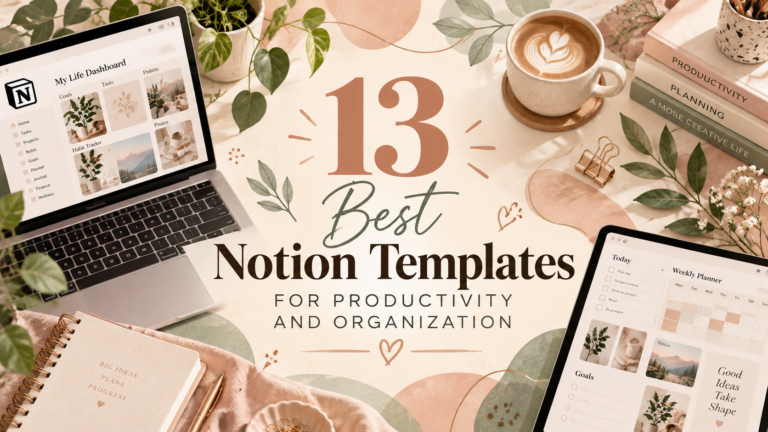
15 Minimalist Notion Templates for a Clean and Organized Workspace

A clean, organized workspace can make it easier to manage tasks, plan projects, and keep important information in one place. Notion templates provide a starting point for building a workspace that fits your routines without having to design every page from scratch.
Whether you’re organizing personal goals, managing freelance projects, writing content, or keeping track of clients, the right template can help you create a more structured digital environment. In this collection, you’ll find 15 Notion templates to explore for a more organized workspace.
15 Minimalist Notion Templates to Explore
These templates cover different organization needs, from task and project management to writing, personal planning, and client workflows. Review each preview to decide which option best matches the way you work.

1. Notion Template Organizer
Explore this organizer if you want a dedicated place to arrange and keep track of Notion templates. It may be a useful starting point for bringing your resources into a more structured workspace.
Best for: Organizing templates and keeping digital resources structured.
View Template
2. Notion Project and Task Tracker Template
Consider this template if you want to organize projects and tasks in one place. A dedicated tracking workspace can help you review priorities, follow progress, and keep your workload visible.
Best for: Task management, project planning, and progress tracking.
View Template
3. Notion Writer’s Hub
Explore Writer’s Hub if you want a workspace dedicated to your writing activities. It could be a useful starting point for collecting ideas, organizing writing projects, and keeping your content workflow together.
Best for: Writers, bloggers, and content planning.
View Template
4. Notion Life OS Template
Consider Life OS if you’re looking for a central workspace for different areas of personal organization. Review the product preview to see whether its structure suits your goals, routines, and planning preferences.
Best for: Personal organization and managing different life areas.
View Template
5. Digital Product Creation Planner Notion
Explore this planner if you’re developing digital products and want a dedicated place to organize your ideas and work. Check the preview to understand how the template may fit into your product creation process.
Best for: Digital product planning and organizing creative projects.
View Template
6. Notion Freelance OS
Freelancers often need to balance client work, project deadlines, and everyday business tasks. Explore this template to see whether it offers a structure that fits your freelance workflow.
Best for: Freelancers managing projects and business activities.
View Template
7. Minimal OS – Notion Life Planner
Explore Minimal OS if you want a life-planning workspace with a minimalist approach. Check the product preview to see how its layout can support your personal planning habits without adding unnecessary complexity.
Best for: Personal planning and a streamlined digital workspace.
View Template
8. Notion Advanced CRM Template
Consider this CRM template if you need a dedicated place to organize contact and relationship information. Review the included features to determine whether they match the way you manage leads, clients, or professional connections.
Best for: Contact organization and customer relationship tracking.
View Template
9. Notion Creative Planner
Explore this planner if you want to bring more structure to your creative work. It may be useful for gathering ideas, planning projects, and creating a consistent place to review your next steps.
Best for: Creative projects, brainstorming, and idea organization.
View Template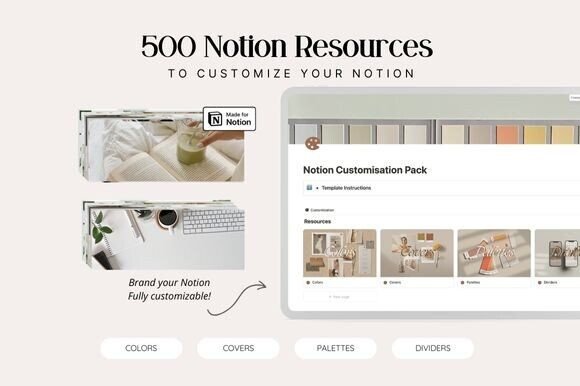
10. Notion Customisation Bundle
Consider this bundle if you want to explore ways to personalize your Notion workspace. Review the product details to learn what is included and whether the available customization options fit your preferred style.
Best for: Personalizing your workspace and exploring customization resources.
View Template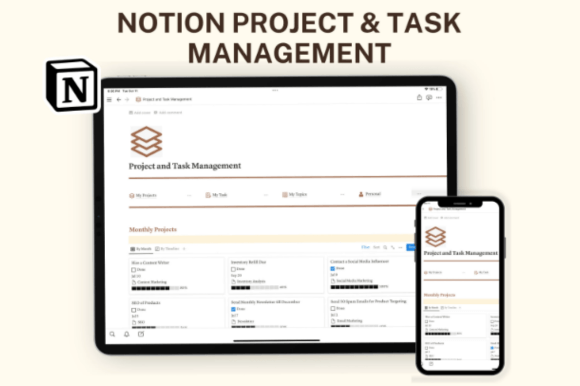
11. Notion Template Business – Project & Task Management Planner
Explore this business-oriented planner if you want a dedicated workspace for organizing projects and tasks. Check the preview to see whether its structure matches your team’s or business’s planning needs.
Best for: Business task management and project organization.
View Template
12. Second Brain Notion Template: Mindloom
Explore Mindloom if you’re interested in building a personal knowledge workspace. A second-brain approach can provide a dedicated place to collect notes, ideas, and useful information for later reference.
Best for: Knowledge management, notes, and collecting ideas.
View Template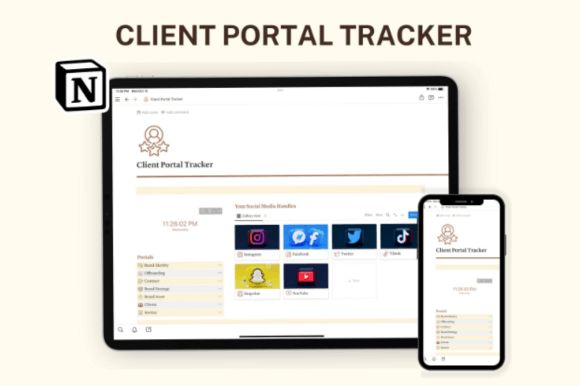
13. Notion Client Portal
Consider a client portal if you want a dedicated workspace for client-related information and collaboration. Review the template details to understand how it may fit your communication and project delivery process.
Best for: Freelancers, service providers, and client workflows.
View Template
14. Notion Life Planner – Dark Mode
Explore this life planner if you prefer a darker visual style for your digital workspace. Check the preview to see how its appearance and organization options fit your personal planning preferences.
Best for: Personal planning and dark-style workspace layouts.
View Template
15. Notion Dashboard Life Planner Template
Consider this dashboard planner if you want a central starting point for personal organization. Explore the preview to see how its layout could help you bring planning information and everyday priorities together.
Best for: Centralized life planning and everyday organization.
View TemplateHow to Choose the Right Minimalist Notion Template
The best template is one that supports your real workflow. Before choosing one, think about what you want to organize and how much structure you need.
1. Start with Your Main Goal
Decide whether your priority is managing tasks, organizing personal goals, planning content, tracking projects, or keeping client information in one place. A template focused on your main goal can be easier to maintain.
2. Look for a Clear Layout
A minimalist workspace should make important information easy to find. Review the preview and look for a layout that feels clear and comfortable to navigate.
3. Avoid Unnecessary Complexity
More features do not always mean a better workspace. Choose a template that matches your current needs instead of adding systems you may not use.
4. Consider Customization
Check whether the template can be adapted to your preferred categories, workflow, and visual style. A workspace that fits your habits is more likely to remain useful.
5. Review What’s Included
Read the product description and inspect its preview before purchasing. Check which pages, databases, features, and instructions are included, along with any licensing or usage conditions.
Tips for Keeping Your Notion Workspace Organized
- Keep your structure simple: Start with a few essential pages and add more only when you need them.
- Use consistent naming: Clear page and database names make information easier to find.
- Review tasks regularly: Set aside time to update priorities and remove completed items.
- Choose a template for each purpose: Avoid duplicating the same information across multiple pages.
- Personalize gradually: Adjust the workspace as your needs change instead of customizing everything at once.
- Check compatibility and access: Review the product details and any setup instructions before importing a template into your workspace.
Frequently Asked Questions
What is a minimalist Notion template?
A minimalist Notion template is a pre-designed workspace intended to help organize information with a clear, structured layout. Depending on the template, it may support planning, project management, writing, personal organization, or other workflows.
Who can benefit from Notion templates?
Students, writers, freelancers, creators, professionals, and people organizing personal goals may find templates useful. The best option depends on your needs and preferred way of working.
Can I customize a Notion template?
Customization options depend on the template and your workspace permissions. Review the product description and setup instructions to understand how the template can be adapted.
How do I choose between a life planner and a project tracker?
A life planner is generally intended for personal planning and organizing different areas of life, while a project tracker focuses on tasks, deadlines, and project progress. Choose the format that best matches your primary goal.
What should I check before purchasing a template?
Review the product preview, included features, setup instructions, compatibility details, and licensing terms. Make sure the template supports the workflow you want before making a purchase.
Final Thoughts
A well-organized Notion workspace can make everyday planning feel more manageable. From task trackers and writing hubs to personal planners, CRM systems, and knowledge management templates, the options in this collection cover a range of organizational needs.
Start by identifying the workflow you want to improve, then compare the previews and included features of the templates that interest you. The most useful workspace is not necessarily the one with the most features, but the one you can use consistently.
You may also like:
- 20 Best Notion Templates for Productivity and Organization
- 13 Notion Templates for Smarter Planning and Productivity
- 19 Aesthetic Notion Templates to Organize Your Life
- 14 Notion Templates for Wellness, Self-Care and Mindfulness
- 25 Best Notion Templates for Freelancers and Businesses
- 10 Best Notion Templates for Students and Study Planning