16 Aesthetic Notion Dashboards for Planning and Productivity
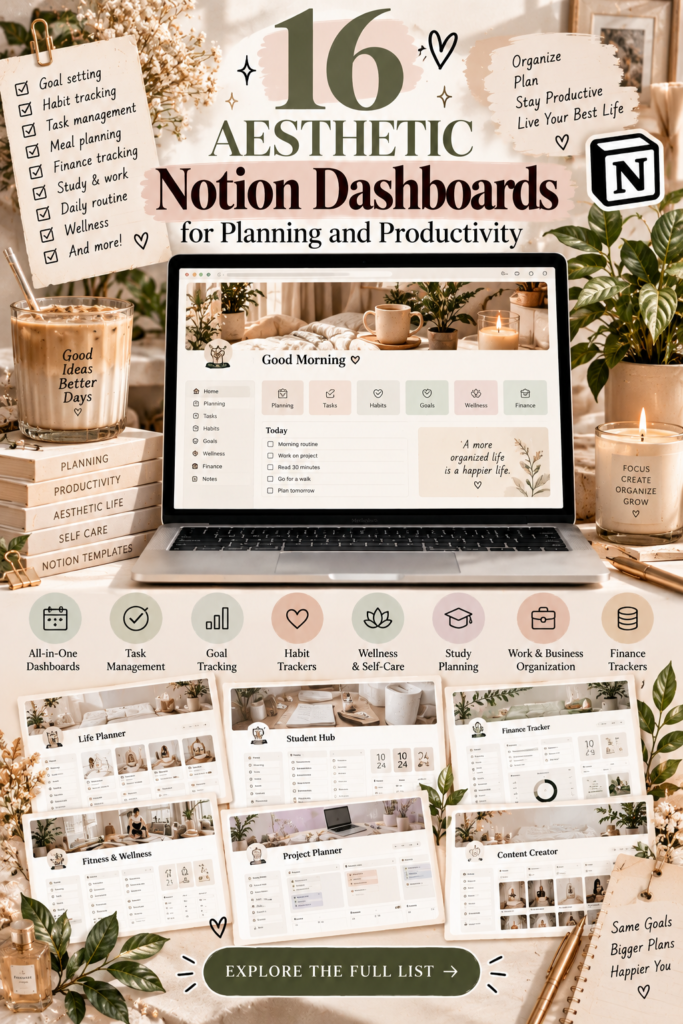
A beautiful and organized workspace can make everyday planning feel more enjoyable. If you use Notion to manage your schedule, personal goals, projects, or daily responsibilities, an aesthetic dashboard can bring everything together in one place while making your workspace feel more personal.
From minimalist life planners to colorful sticky-note dashboards and dedicated student or freelance workspaces, there are many ways to organize your digital life in Notion. The best dashboard is one that looks good to you and makes it easier to find information, prioritize tasks, and keep track of your progress.
In this guide, we’ve gathered 16 aesthetic Notion dashboards for different planning styles and needs. Whether you’re looking for a personal home dashboard, a productivity hub, a student planner, or a workspace for creative projects, these options can help you find a setup worth exploring.
16 Aesthetic Notion Dashboards to Explore
Each dashboard below has a different focus. Some are designed around everyday personal planning, while others are more specialized for studying, freelancing, running an online shop, or organizing creative work. Review the available previews to find a layout and feature set that match your needs.

1. Personal Home Dashboard Notion Template
A personal home dashboard can serve as the central starting point for your digital life. Instead of jumping between several Notion pages, you can use one main workspace to access important information and organize your everyday priorities.
This is a versatile option to consider if you want a dedicated home page that brings your personal planning together. Its general-purpose focus makes it a useful starting point for comparing different dashboard styles.
Best for: Personal organization, everyday planning, and a central Notion home page.
Explore Template
2. Productivity Dashboard Notion Template
If you want one place for your tasks, notes, events, and everyday productivity, a dedicated productivity dashboard may be a practical choice. It can help you create a more consistent workflow by bringing several common planning activities into one workspace.
Check the product preview to see how its sections are organized and whether the layout fits the way you like to plan your day.
Best for: Daily productivity, task organization, notes, and events.
Explore Template
3. Notion Sticky Notes Dashboard
Sticky notes offer a familiar, visual way to collect quick reminders, ideas, and small tasks. This dashboard is worth exploring if you prefer a more colorful workspace instead of a traditional list-based planner.
A visual layout can be especially helpful for brainstorming and weekly planning, when you want to see several ideas at once and move between priorities easily.
Best for: Brainstorming, quick notes, visual planning, and collecting ideas.
Explore Template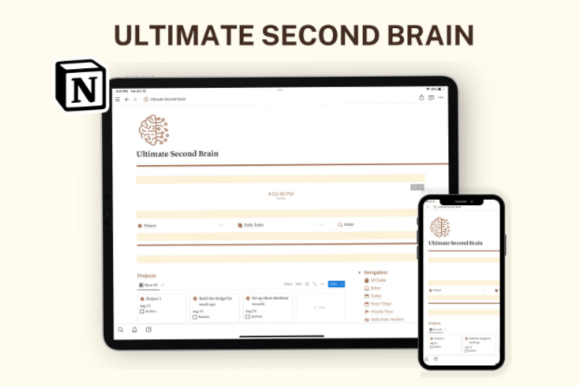
4. Notion Ultimate Second Brain
A second-brain system is designed to help you collect and organize information beyond your immediate to-do list. This option focuses on bringing projects, tasks, notes, and resources into one broader workspace.
It may be a good fit if you save lots of information for work or personal projects and want a more structured way to revisit it later.
Best for: Knowledge management, project organization, and keeping notes and resources together.
Explore Template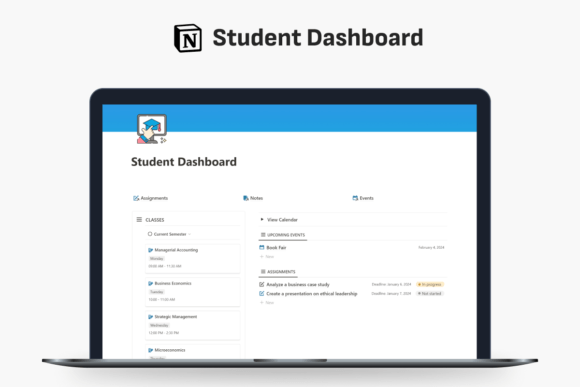
5. Student Dashboard Notion Template
Students often need to coordinate classes, assignments, study sessions, and upcoming deadlines. A student dashboard can give these responsibilities a dedicated home and make it easier to review what’s coming up.
Before choosing this template, check the preview to see whether its sections match your course structure and study habits.
Best for: Students organizing classes, assignments, and study deadlines.
Explore Template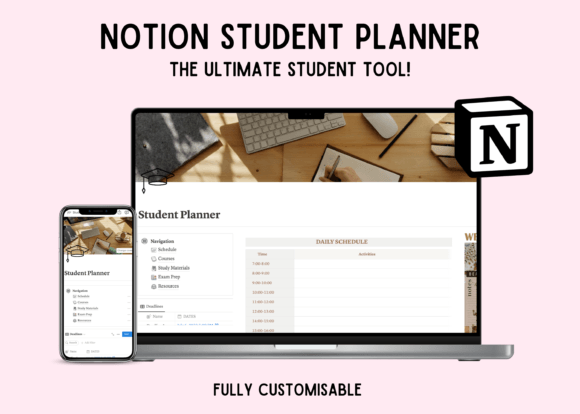
6. Notion Student Planner Dashboard
A student planner dashboard is another option for bringing study schedules, learning materials, and progress tracking into one place. It may suit students who prefer a dedicated academic workspace rather than a general-purpose personal dashboard.
Compare its layout with the previous student dashboard and choose the one that better matches your timetable and the way you manage assignments.
Best for: Academic planning, study materials, and tracking learning progress.
Explore Template
7. Notion Freelance Dashboard Hub
Freelancers often balance client work, project deadlines, daily tasks, and financial responsibilities. A freelance dashboard hub is designed around this broader workflow, giving you a place to organize several parts of your independent work.
Review the included features to determine whether they cover the client and project details you need to manage regularly.
Best for: Freelancers organizing clients, projects, tasks, and finances.
Explore Template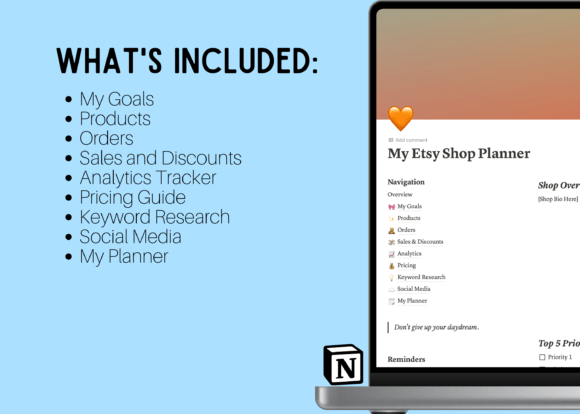
8. Notion Etsy Shop Dashboard Template
Running an Etsy shop involves more than creating products. Sellers may also need to plan listings, prepare promotions, organize shop-related tasks, and schedule content. A shop dashboard can help bring those activities into a single workspace.
If you manage an online store, explore the template to see whether its structure suits your product workflow and the way you plan shop updates.
Best for: Etsy sellers organizing shop tasks, listings, and content planning.
Explore Template
9. Aesthetic Home & Business Notion Planner
Managing personal responsibilities alongside business tasks can make it difficult to keep your priorities clear. This planner combines a home-and-business focus with an aesthetic approach to organization.
It may appeal to people who want to coordinate household plans and work responsibilities without maintaining entirely separate planning systems.
Best for: People balancing home organization with business planning.
Explore Template
10. Life Planner Notion Template
A life planner provides a broader approach to organizing your days, tasks, and personal goals. Rather than focusing only on work, it can serve as a central place for reviewing different priorities and planning your next steps.
Consider this option if you want a flexible dashboard for everyday organization without choosing a template designed for one specific profession or activity.
Best for: Personal goals, daily responsibilities, and general life planning.
Explore Template
11. Notion Life OS Template
A Life OS template aims to bring several areas of personal organization into one system. This option is described as a minimalist workspace featuring habit, project, and progress tracking.
It may be useful if you like connecting your daily tasks with longer-term goals. Check the template preview to see how its trackers are structured and whether the setup feels manageable.
Best for: Habit tracking, project organization, and personal progress.
Explore Template
12. GTD Aesthetic Productivity Notion Plan
This aesthetic productivity plan is described as combining task management, projects, a calendar, and Pomodoro-style work sessions. It may be worth exploring if you want to bring planning and focused work into one visual workspace.
GTD stands for Getting Things Done, a productivity method centered on capturing, organizing, and reviewing commitments. Check the listing to confirm which parts of the method and which tools are actually included.
Best for: Structured task planning, project organization, and focused work sessions.
Explore Template
13. Notion Dashboard Life Planner Template
If you want a dashboard that covers several areas of everyday life, this life planner is described as including weekly tasks, finances, goals, and a mood board. That combination may appeal to people who enjoy connecting practical planning with personal inspiration.
A multi-purpose planner can be convenient, but make sure its different sections are relevant to your routine before committing to a larger system.
Best for: Weekly planning, personal goals, budgeting, and visual inspiration.
Explore Template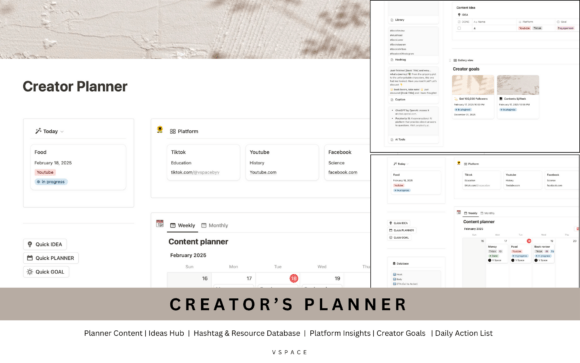
14. NOTION Creator’s Planner
Creative projects often involve ideas, content plans, goals, and multiple stages of development. A creator-focused planner can give these activities a dedicated place and help you keep track of the next steps in your creative workflow.
Explore this option if you create digital products or content and want to organize your ideas alongside your project plans.
Best for: Content planning, creative ideas, and managing creator projects.
Explore Template
15. Minimal OS – Notion Life Planner
A minimalist dashboard can help you keep your workspace visually calm while organizing important tasks and goals. This template is described as including tasks, goals, habits, and a weekly planner.
It may suit people who want a structured personal workspace without a visually crowded interface. Compare the preview with other life planners to see which layout feels easiest to use.
Best for: Minimalist planning, weekly organization, and tracking personal goals and habits.
Explore Template
16. Notion Template – Life Planner, Dark Mode
If you prefer darker interfaces, a dark-mode life planner may be a more comfortable aesthetic choice for your Notion workspace. This template is described as including a calendar, to-do lists, budgeting, and goals.
Its darker visual style may appeal to users who prefer a low-brightness interface or want their dashboard to look different from a traditional light planner. Check the preview to confirm the design and included sections.
Best for: Dark-mode enthusiasts who want a central space for planning and personal organization.
Explore TemplateHow to Choose the Best Aesthetic Notion Dashboard
A dashboard can look beautiful in a product preview but still be a poor fit for your routine. Before choosing one, think about what you want to organize and how much time you are willing to spend maintaining your workspace.
1. Start with your main goal
Choose a personal dashboard for general organization, a student planner for academic deadlines, a freelance hub for client work, or a creator planner for content and creative projects. A clear purpose makes it easier to choose a template you will actually use.
2. Decide which features you really need
Make a short list of essential features, such as a calendar, task list, habit tracker, notes section, or budget overview. Compare each product’s preview against that list rather than choosing a template simply because it contains many sections.
3. Pick an aesthetic you enjoy
Minimalist layouts, colorful sticky notes, and dark-mode dashboards offer different visual experiences. Choose a design that feels comfortable to look at every day and makes information easy to find.
4. Check the current product details
Review the Creative Fabrica listing for the latest price, included features, access conditions, and instructions. A product’s availability, price, and ratings may change, so check the live page before making a decision.
5. Avoid overcomplicating your setup
You do not need to use every feature in a template. Begin with the sections that solve your current problems and add more only when they make your planning process easier.
Tips for Making Your Notion Dashboard More Useful
- Keep your most important information visible. Place your main tasks, current priorities, or upcoming deadlines where you can find them quickly.
- Use a consistent review routine. Spend a few minutes reviewing your dashboard daily or weekly so outdated tasks do not accumulate.
- Separate short-term tasks from long-term goals. This helps you connect everyday actions with the bigger picture.
- Personalize the design thoughtfully. Colors, icons, and images can make a dashboard feel more inviting, but avoid adding so many decorative elements that navigation becomes difficult.
- Start small. Use the core features first, then customize the workspace as your needs become clearer.
Frequently Asked Questions
What is an aesthetic Notion dashboard?
An aesthetic Notion dashboard is a workspace designed to combine organization with a particular visual style. It may use a minimalist layout, coordinated colors, images, icons, or other design elements while providing access to tasks, notes, calendars, and other information.
Which Notion dashboard is best for personal planning?
A personal home dashboard or a general life planner is a sensible place to start if you want to organize everyday responsibilities, goals, and routines. Compare the available features and choose the layout that fits your priorities.
Which dashboard is best for students?
The Student Dashboard Notion Template and Notion Student Planner Dashboard are the two academic-focused options in this collection. Review their previews to compare the organization and features before choosing one.
Can I use a Notion dashboard for business?
Yes. The freelance dashboard, Etsy shop dashboard, and creator’s planner are more specialized options for organizing work-related responsibilities. Check each product’s included features to determine whether it fits your workflow.
Are these Notion dashboards free?
The products in this collection should be checked individually on Creative Fabrica. Prices and access conditions can change, and the information in this article does not guarantee that every template is free.
Can I customize a Notion dashboard?
Many Notion workspaces can be customized, but the available options depend on how the template is shared and how it is built. Check the product instructions and confirm that you can make a copy and edit the sections you want to personalize.
Final Thoughts
The right aesthetic Notion dashboard can make planning more enjoyable while helping you keep important information organized. A personal home dashboard may be ideal for everyday life, while students, freelancers, shop owners, and creators may prefer a workspace tailored to their specific responsibilities.
Explore the 16 options above, compare their designs and features, and choose a dashboard that suits your habits rather than trying to fit your life around a complicated system. Remember to check current product details, prices, and access conditions before downloading.
Your dashboard should make life easier, not give you another system to maintain. Start with what you need, keep it practical, and let your workspace evolve as your planning habits develop.
You may also like:
- 20 Best Notion Templates for Productivity and Organization
- 13 Notion Templates for Smarter Planning and Productivity
- 19 Aesthetic Notion Templates to Organize Your Life
- 14 Notion Templates for Wellness, Self-Care and Mindfulness
- 25 Best Notion Templates for Freelancers and Businesses
- 10 Best Notion Templates for Students and Study Planning