13 Best Notion Templates for Writers, Readers and Creators
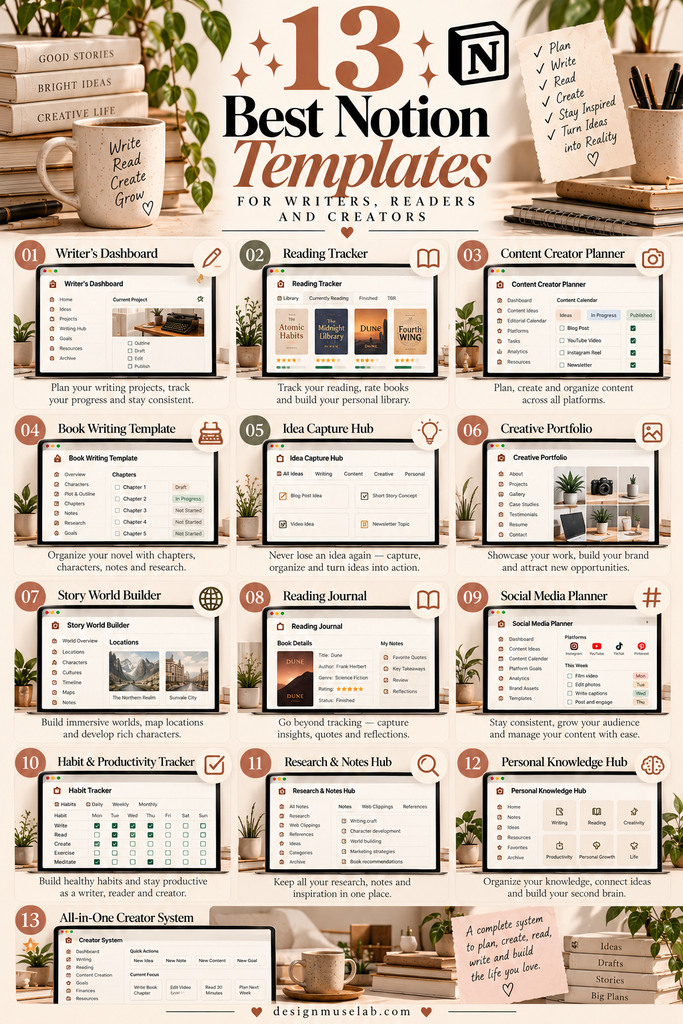
Whether you love reading, want to organize your writing projects, or need a better way to capture creative ideas, Notion can help you bring everything together in one place. The right template can make it easier to track books, develop stories, organize prompts, plan content, and turn inspiration into action.
In this guide, we explore 13 Notion templates for writers, readers, bloggers, and content creators. From book trackers and writing hubs to idea libraries and headline resources, there are options for different creative workflows.
Not sure where to start? Choose a book tracker if reading is your priority, a writing hub if you’re working on a manuscript, or an idea and prompt library if you regularly create content. Before purchasing, check each product page for its included features, compatibility, and any specific usage requirements.
13 Notion Templates for Writers, Readers & Content Creators
These templates cover several parts of the creative process, including reading lists, writing organization, brainstorming, prompts, headlines, and advertising copy. Browse the options to find one that fits the way you work.

1. Notion Booklist Tracker
Keep your reading interests organized with a dedicated booklist tracker. It may be a useful starting point for readers who want a central place to record books they plan to read, are currently reading, or have finished.
Best for: Readers who want to keep their reading list organized.
View Booklist Tracker
2. NoteGrid Notion Template
A note-taking system can help bring scattered thoughts, research, and useful information together. NoteGrid is worth exploring if you’re looking for a dedicated template to support a more organized note-taking workflow.
Best for: Creators and knowledge collectors who want to organize notes.
Explore NoteGrid
3. My Writing Hub
A writing hub can give your creative projects a central home. Use a dedicated writing workspace to help keep drafts, project notes, research, and developing ideas easier to find instead of spreading them across multiple apps.
Best for: Writers who want a central workspace for creative projects.
View Writing Hub
4. Notion Book Tracker Template
If you enjoy keeping a record of your reading, a book tracker can help you create a more intentional reading routine. Consider using one to organize your reading goals and keep track of books you want to revisit.
Best for: Book lovers who want a dedicated reading record.
View Book Tracker
5. Fantasy Book Tracker
Fantasy readers often follow long series, revisit favorite fictional worlds, and keep track of multiple authors. This fantasy-focused tracker may appeal to readers who want a reading organizer that reflects their genre interests.
Best for: Fantasy fans who want to organize their reading.
Explore Fantasy Tracker
6. Prompt Album
Creative prompts can help you get past a blank page and explore fresh directions. A prompt collection gives you a place to store ideas for writing sessions, brainstorming exercises, and future content projects.
Best for: Writers and creators who want inspiration close at hand.
View Prompt Album
7. Notion Crafting Clarity Checklist
Creative work can become complicated when the next step isn’t clear. A checklist can help you review your process, break a task into manageable actions, and keep important considerations visible while you work.
Best for: Creators who prefer a checklist-based workflow.
View Clarity Checklist
8. Ideas to Actions
Having ideas is one thing; making time to develop them is another. This template may suit people who want a more structured way to organize possibilities, choose priorities, and turn creative inspiration into concrete next steps.
Best for: Bloggers, freelancers, and creators managing multiple ideas.
Explore Ideas to Actions
9. Prompt Library
If you frequently use prompts for brainstorming or content development, a searchable library can make useful ideas easier to revisit. Organize prompts around your preferred creative tasks and build a collection you can return to whenever you need inspiration.
Best for: Writers and content creators who reuse prompts.
View Prompt Library
10. Notion Writer’s Hub
A writer’s hub can serve as a home base for writing plans, project notes, research, and drafts. It’s worth considering if you’re working on several pieces at once and want a dedicated space for your writing process.
Best for: Authors, freelance writers, and regular bloggers.
Explore Writer’s Hub
11. The Ultimate Idea Vault
Ideas often appear at inconvenient moments. An idea vault gives you a dedicated place to capture thoughts before they disappear and return to them when you’re ready to plan a project, write an article, or develop a new creative concept.
Best for: Idea-driven creators who want one place to collect inspiration.
View Idea Vault
12. 50+ Plug-and-Play Headline Notion
Writing headlines can take more time than expected. A headline resource can help you explore different angles and create starting points for blog posts, newsletters, landing pages, and social content. Adapt any examples to fit your audience and subject.
Best for: Bloggers, copywriters, and content marketers.
Explore Headline Resource
13. The Ultimate Ad Copy Playbook + Notion
Creating persuasive advertising copy requires clear messaging and an understanding of the intended audience. This playbook may be useful for creators who write promotional content and want a dedicated resource to consult when developing ad copy.
Best for: Freelancers, marketers, and business owners creating advertisements.
View Ad Copy PlaybookHow to Choose the Right Notion Template
The best template is the one that supports your real workflow without adding unnecessary complexity. Before choosing, consider what you want to organize and how often you’ll use the system.
For readers
Start with a booklist or book tracker. Think about whether you want to record books to read, keep a history of completed books, or focus on a particular genre such as fantasy.
For authors and writers
Look at a writing hub or writer’s hub if you need a central workspace for drafts, notes, research, and ongoing projects. A prompt collection may also help you get started when inspiration is low.
For bloggers and content creators
An idea vault, prompt library, or headline resource may fit your workflow if you regularly brainstorm topics and plan content. For promotional work, consider whether the ad copy resource matches the kind of writing you do.
Before you buy
Read the full product description, review the preview images, and confirm that the product is a Notion template or includes the format you need. Check compatibility, included features, license terms, and whether any setup or duplication steps are required.
Tips for Getting More from Your Notion Workspace
- Start small: Begin with one template that solves a clear problem rather than building a complicated system right away.
- Customize your workflow: Adjust categories and fields to match your reading, writing, or content creation habits.
- Keep it easy to maintain: A simple workspace you use regularly is often more useful than an elaborate one you rarely update.
- Review your ideas: Set aside time to revisit saved prompts, notes, and unfinished ideas so they don’t get forgotten.
- Check product details: Confirm what is included and what you need before purchasing any digital resource.
Frequently Asked Questions
1. What is a Notion template?
A Notion template is a pre-arranged workspace or page structure that you can use as a starting point for organizing information, tasks, projects, and notes. The features available depend on the specific template.
2. Which Notion templates are useful for readers?
The Notion Booklist Tracker, Notion Book Tracker Template, and Fantasy Book Tracker are the most directly relevant options in this list for people who want to organize their reading.
3. Which templates should writers consider?
Writers may want to explore My Writing Hub, Notion Writer’s Hub, Prompt Album, and Prompt Library. Compare their product descriptions to find the workflow and features that best suit your projects.
4. Can content creators use Notion to organize ideas?
Yes. Notion can be used to organize ideas, notes, prompts, and content plans. In this list, Ideas to Actions and The Ultimate Idea Vault are relevant starting points for an idea-management workflow.
5. Are all the products on this list complete Notion templates?
Not necessarily. Product names alone don’t confirm every included format or feature. Some listings may be resources or playbooks intended to work alongside Notion. Review the individual product page before buying.
6. Do I need to purchase all 13 templates?
No. Choose the template that solves your most immediate organizational challenge. You can add other resources later if your reading or creative workflow grows.
Final Thoughts
The right Notion setup can help you spend less time searching for notes and more time reading, writing, and creating. Readers can begin with a book tracker, writers can explore a dedicated writing hub, and content creators can consider an idea vault, prompt library, or headline resource.
Take a look at the options above, compare their features, and choose a template that fits the way you already work. Start with one useful system, make it your own, and build from there.
Affiliate disclosure: This article contains affiliate links. If you purchase through these links, we may earn a commission at no additional cost to you. We recommend reviewing each product’s details and terms before making a purchase.
You may also like:
- 20 Best Notion Templates for Productivity and Organization
- 13 Notion Templates for Smarter Planning and Productivity
- 19 Aesthetic Notion Templates to Organize Your Life
- 14 Notion Templates for Wellness, Self-Care and Mindfulness
- 25 Best Notion Templates for Freelancers and Businesses
- 10 Best Notion Templates for Students and Study Planning