17 Best Notion Life Planner and Second Brain Templates
Want to organize your goals, routines, projects, ideas, and everyday responsibilities in one digital workspace? A Notion life planner or Second Brain template can give you a structured starting point without requiring you to build every page from scratch.
In this guide, we explore 17 Notion templates for different planning preferences, including all-in-one life planners, minimal dashboards, goal-setting tools, weekly and monthly layouts, and Second Brain-inspired systems for organizing information.
What Is a Notion Life Planner?
A Notion life planner is a digital workspace designed to help you organize different areas of everyday life. Depending on its layout, it may provide a place to plan your week, record goals, manage projects, or keep personal notes and useful information together.
Instead of switching between multiple lists and apps, you can use a central workspace as a starting point for your planning. The exact pages and features vary from one template to another, so it is worth reviewing the product preview before choosing one.
What Is a Second Brain in Notion?
A Second Brain is a personal knowledge-management approach: a system for capturing, organizing, and revisiting information outside your head. In Notion, this might mean keeping notes, ideas, reference material, project details, and useful resources in a searchable workspace.
A life planner usually focuses on planning and personal organization, while a Second Brain emphasizes information and knowledge. Some people prefer to keep these systems separate; others combine them in one workspace.

Notion Life Planner, Notion Template
A life-planning option for anyone who wants a dedicated digital space for personal organization. Review its layout to see whether it provides a useful starting point for your goals, plans, and everyday priorities.

Notion Template, Notion Life Planner
This is another life-planner option to compare when looking for a ready-made structure. Consider its visual layout, included pages, and how easily you could adapt it to your current planning habits.

Second Brain Notion Template
A Second Brain-style workspace is worth considering if you collect notes, ideas, resources, and project information across different parts of life. Review the template to see how its structure could support your personal knowledge-management habits.
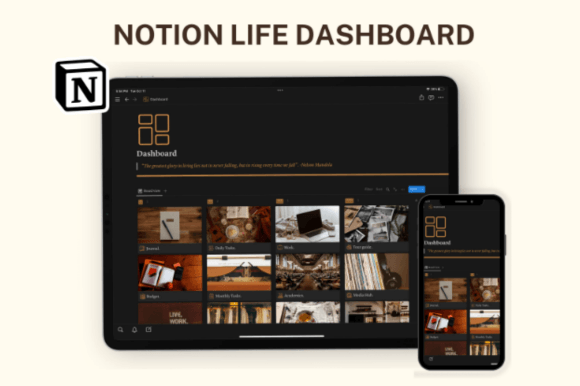
Notion Template, Notion Life Planner (Neutral Aesthetic)
If you prefer a softer, understated visual style, this neutral-aesthetic option may be worth a look. Check the screenshots and page structure to determine whether its appearance and organization fit your preferences.
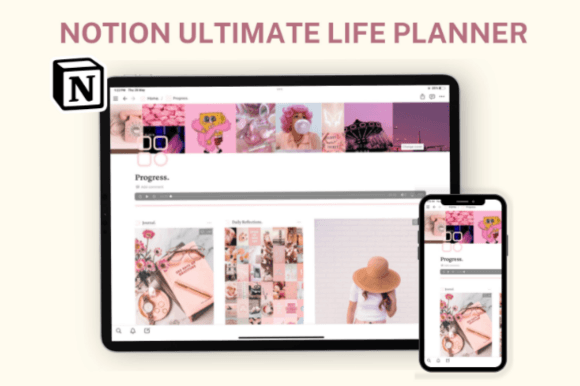
Notion Template, Notion Life Planner (All-in-One)
An all-in-one planner may appeal to people who want a central starting point for multiple areas of life. Review the included sections carefully and consider whether you would genuinely use the different parts of the workspace.

Notion Life Goals Mastery Template
Goals can be easier to revisit when you give them a dedicated place in your planning system. This goal-focused template is an option to explore if you want to pay more attention to personal direction and progress.

Notion Dashboard Life Planner Template
A dashboard-style life planner can offer a central page from which to navigate your personal workspace. Consider whether the layout makes important information easy to find without overwhelming the page.
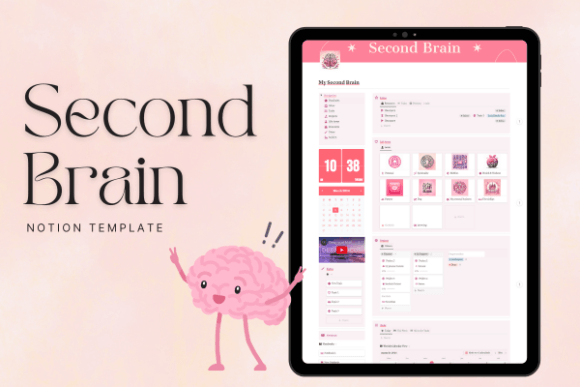
Aesthetic Pink Second Brain Notion
This Second Brain option combines a pink aesthetic with a knowledge-management theme. It may be worth exploring if you want your notes and ideas organized in a workspace whose visual style feels personal to you.

Life OS Notion Template
The Life OS concept treats your workspace as a connected system for personal organization. Explore this template if you want a broader framework rather than a planner focused on a single activity.
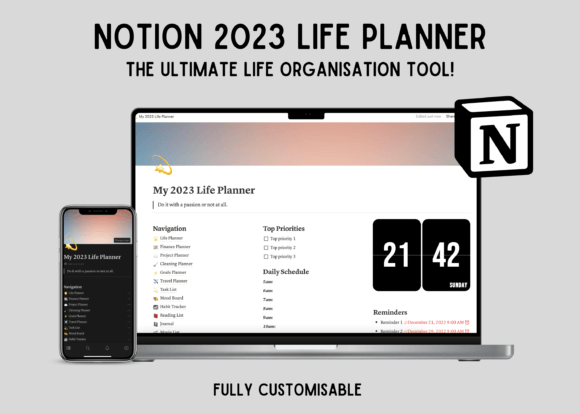
Notion Dashboard Life Planner Template (Alternative Layout)
This alternative dashboard gives you another layout to compare with the previous life-planner dashboard. Look at the page hierarchy and navigation to decide which arrangement feels more intuitive to use.

Minimal OS – Notion Life Planner
A minimal approach can be helpful if you prefer a workspace with fewer distractions. Review this template to see whether its structure gives you enough organization while leaving room to keep things simple.
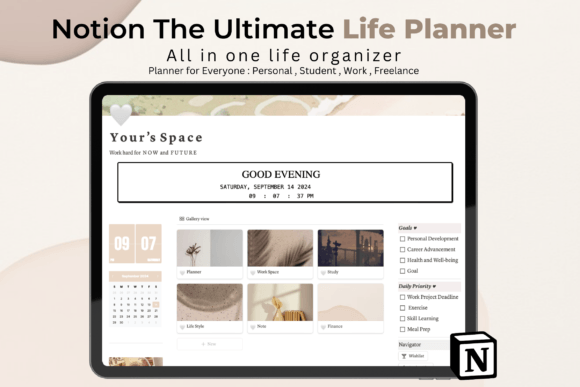
Notion the Ultimate Life Planner
If you are comparing broader life-planning systems, this option is another one to review. Check the product description and screenshots to understand its scope and whether its organization fits your personal planning needs.

Notion Template, Notion Life Planner (Weekly Planner)
A weekly planning layout is useful to consider if you prefer looking at your commitments in short, manageable periods. It can help you think about priorities for the week without planning every detail far in advance.
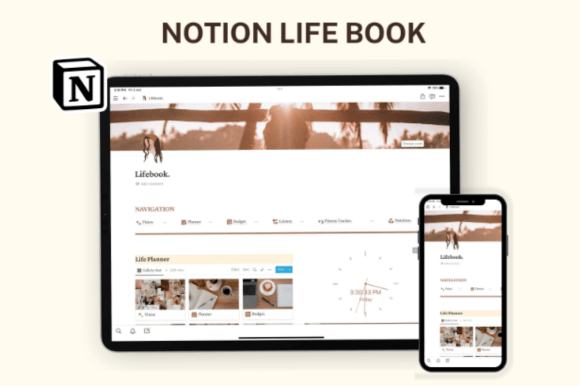
Notion Template, Notion Life Planner (Grid Layout)
This life-planner variation emphasizes a grid-style layout. If you like visually separated sections, review its preview to see whether the arrangement makes your main planning areas easy to scan.

Notion Template, Notion Life Planner (Monthly Overview)
A monthly overview can be useful when you want to step back from daily tasks and consider upcoming commitments, milestones, and longer-term priorities. Check the layout to see how it presents monthly planning.

Life Planner Notion Template
This listing uses the same product URL as the first item in this collection. It is included here because it appears as a separate entry in your supplied list, but it may not represent a distinct product. Compare the listing before treating it as a separate option.

Notion Life Tracker Pro
A life-tracking template may be worth exploring if you want a structured way to review routines, personal activities, or progress over time. Check the product details to confirm which tracking features are actually included.
How to Choose the Right Life Planner or Second Brain
With several similar-looking templates available, it helps to decide what you want your workspace to do before choosing a design. Start with your main need, then compare the features and layout of the relevant listings.
Match the template to your goal
- Plan everyday life: Compare general life planners and daily or weekly layouts.
- Organize personal goals: Explore goal-focused planning options.
- Collect ideas and information: Look at Second Brain-style systems.
- See your priorities at a glance: Consider a dashboard-based workspace.
- Keep things simple: Review minimal layouts before choosing a more comprehensive system.
- Review routines and progress: Consider a life-tracking option if its included features match your needs.
Questions to ask before choosing
- What is the main problem I want this template to solve?
- Can I understand the structure without a complicated setup?
- Does the layout match the way I naturally organize information?
- Can I remove sections that I do not need?
- Will I realistically review and maintain this workspace?
- Have I checked the product screenshots and description for included features?
A template with many sections is not automatically better than a simple one. Choose based on usefulness, ease of navigation, and how well it fits your existing habits—not just the number of features or the visual design.
How to Build a Simple Second Brain in Notion
You can start a useful knowledge system with a few basic habits. There is no need to move every note you have ever created into a new workspace on day one.
1. Choose what you want to capture
Decide which kinds of information are worth keeping, such as useful links, personal notes, project ideas, reading notes, or reference material. A clear purpose makes it easier to decide what belongs in your system.
2. Create a simple organization structure
Start with a small number of broad categories that make sense to you. Avoid building an elaborate folder or database structure before you know how you will use it.
3. Connect information to active projects
When a note or resource is relevant to something you are working on, make it easy to find from that project. Information is more useful when you can retrieve it at the moment you need it.
4. Review your notes occasionally
Revisit saved ideas and resources when planning a project or reviewing your goals. Archive material that no longer matters instead of trying to keep every page equally active.
5. Keep personal information in mind
Before storing sensitive information, consider who can access your workspace, what you actually need to retain, and whether a particular detail belongs in a general-purpose planning tool at all.
A Simple Weekly Review for Your Notion Life Planner
A short weekly review can help keep a life-planning workspace relevant without requiring constant maintenance. Try the following routine and adapt it to your own needs.
Your weekly planning checklist
- Review unfinished tasks and decide what still matters.
- Check upcoming commitments and important dates.
- Choose a small number of priorities for the coming week.
- Break large projects into manageable next actions.
- Capture useful ideas or information you want to revisit.
- Remove outdated reminders and unnecessary sections.
Keep the process flexible. Some weeks will be busier than others, and your planning system should help you adapt rather than make you feel behind.
Frequently Asked Questions
What is the difference between a Life Planner and a Second Brain?
A Life Planner generally focuses on personal planning, priorities, routines, and goals. A Second Brain focuses on capturing and organizing information, notes, and ideas. A single workspace can combine both approaches if that suits your needs.
Do I need an all-in-one Notion template?
Not necessarily. An all-in-one setup can be useful if you want a broad overview, but a smaller planner may be easier to maintain. Choose based on what you actually need to organize.
Can I customize a Notion life planner?
Notion pages and workspaces can generally be adapted, although the exact structure and included materials vary by template. Check the listing for details about what is provided and how it can be used.
Which template is best for beginners?
Beginners may find it easier to start with a simple life planner or a focused dashboard rather than a complex system with many sections. The best starting point is one that is easy to understand and maintain.
Can I use a Second Brain for work and personal projects?
A personal knowledge workspace can be organized around different areas of interest, including work and personal projects. Consider how you will separate information and manage access if the workspace contains material that should remain private.
How often should I update my Notion planner?
Use a rhythm that feels manageable. Some people check their daily tasks each morning and do a longer review weekly. You can adjust the frequency depending on how much you need to plan.
What should I check before buying a template?
Read the product description, inspect screenshots, review the included pages and features, and check any compatibility or usage notes. Do not assume that every feature associated with a template’s name is included.
Final Thoughts
The right Notion life planner can help you bring more structure to everyday responsibilities, while a Second Brain-style workspace can make it easier to keep track of useful information and ideas.
From minimal planners and weekly layouts to goal-focused systems and dashboards, these 17 listings offer several approaches to explore. Review each product’s actual features, consider your main priorities, and choose a workspace that feels useful rather than unnecessarily complicated.
Start small, build habits around the pages you use, and adjust your setup as your needs change. Your digital system should support your life—not take it over.
You may also like:
- 20 Best Notion Templates for Productivity and Organization
- 13 Notion Templates for Smarter Planning and Productivity
- 19 Aesthetic Notion Templates to Organize Your Life
- 14 Notion Templates for Wellness, Self-Care and Mindfulness
- 25 Best Notion Templates for Freelancers and Businesses
- 10 Best Notion Templates for Students and Study Planning