11 Notion Templates for Project Management and Team
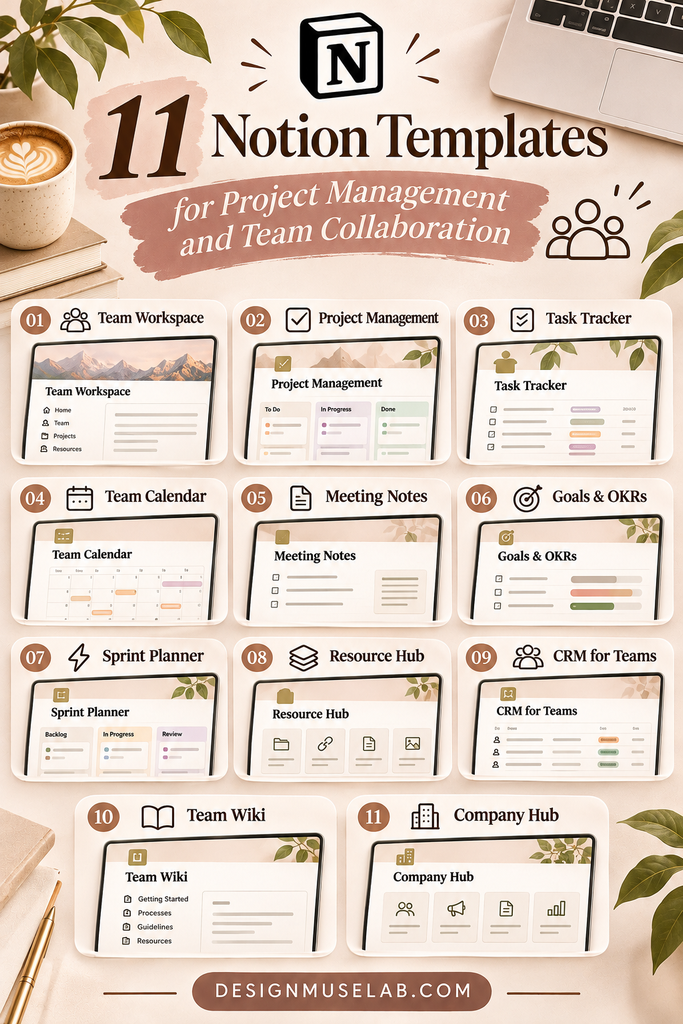
Organize projects, track tasks, manage deadlines, and bring your team’s workflow together with these useful Notion templates.
Managing projects and coordinating a team can quickly become complicated. Tasks get scattered across different tools, deadlines are easy to overlook, and important updates may be difficult to track. A well-organized workspace can make everyday project management much easier.
Notion is a flexible workspace where you can organize tasks, project information, notes, calendars, and team resources. With the right template, you can create a central place to plan work, monitor progress, and keep important information accessible.
Whether you’re managing several projects, working with freelance clients, coordinating a small team, or improving your personal productivity system, a ready-made Notion template can give you a useful starting point.
In this collection, you’ll discover 11 Notion templates for project management and team organization. The selection includes project planners, task trackers, workflow boards, client management systems, productivity dashboards, and a bundle of templates.
Notion Templates for Project Management
Start with a project management system that helps you see what needs to be done, when it is due, and how work is progressing. These templates focus on organizing projects, tasks, deadlines, and workflows.

Notion Project Planner
Organize multiple projects in one workspace with tools for managing deadlines, priorities, and project statuses. This planner can help you maintain an overview of ongoing work and understand which tasks need attention.
Explore Notion Project Planner
Notion Project and Task Tracker Template
This template brings project and task tracking together in a central dashboard. Organize tasks and subtasks, set deadlines, and monitor progress to keep work moving in the right direction.
Explore Project and Task Tracker
Notion StickyFlow Board
Use a visual task board to organize work by status and follow your team’s workflow. This format can make it easier to see which tasks are waiting, in progress, or completed.
Explore StickyFlow Board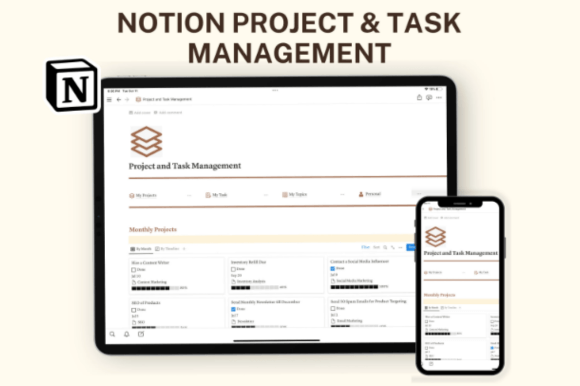
Notion Template Business – Project & Task Management Planner
A business-focused planner for organizing projects, calendars, tasks, statuses, and priorities. It can serve as a central workspace for keeping daily responsibilities connected to larger project goals.
Explore Business Project PlannerNotion Templates for Freelancers and Team Collaboration
Freelancers and small teams often need more than a basic task list. They may also need to manage clients, coordinate active projects, share updates, and keep documents organized. These templates focus on client relationships and collaborative work.

Notion Freelance Dashboard Hub
Bring active projects, client information, calendars, task boards, and collaboration into one workspace. This dashboard is worth exploring if you manage several freelance assignments and want a clearer overview of your work.
Explore Freelance Dashboard Hub
Freelance Client & Project CRM Notion
Keep client details, projects, statuses, deadlines, and documents organized in one place. A client and project CRM can be especially useful for freelancers who want to connect client information with their ongoing work.
Explore Freelance Client & Project CRM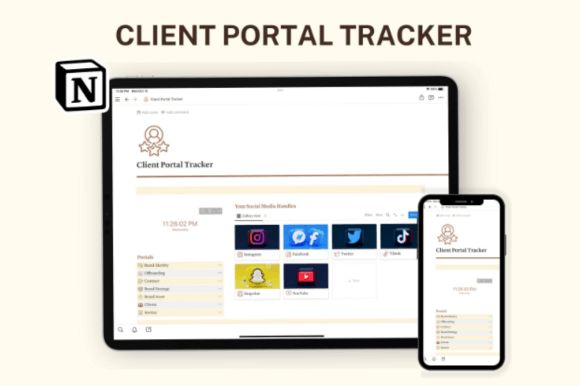
Notion Client Portal
Create a shared space for client projects, tasks, feedback, and collaboration. A client portal can help keep project communication and relevant information more organized throughout a working relationship.
Explore Notion Client PortalNotion Templates for Productivity and Organization
Project management also depends on personal organization. Keeping notes, tasks, events, and priorities connected can make it easier to plan your time and stay focused. These options offer broader productivity systems that may also support project-related work.

Notion Life OS Template
A broader organization system for managing projects, tasks, notes, and progress. It may be useful if you prefer keeping personal planning and project-related information within one workspace.
Explore Notion Life OS
Productivity Dashboard Notion Template
Bring tasks, events, notes, and planning into one dashboard. This template is a useful option to consider if you want a central overview of your daily activities and priorities.
Explore Productivity Dashboard
Getting Things Done Notion Template
Organize tasks, priorities, and productivity with a system inspired by the Getting Things Done approach. It can help you collect responsibilities and structure what needs to happen next.
Explore Getting Things Done TemplateNotion Template Bundle for Multiple Workflows
If you want to explore several types of Notion systems rather than start with just one template, a bundle may be worth considering. The following option includes a collection of templates for different planning and organization needs.

20 Notion Templates Bundle
This bundle includes a range of templates, with examples such as a Project Planner, Task Tracker, StickyFlow Board, and CRM Tracker. It may be useful if you want several workspace formats for project planning, task organization, and client management.
Explore 20 Notion Templates BundleHow to Choose the Right Notion Template for Your Team
Not every project management template is suitable for every workflow. The best choice depends on the way you work, the number of projects you manage, and how much information you need to track.
1. Identify Your Main Management Needs
Start by listing the problems you want your workspace to solve. Do you need to track several projects, manage daily tasks, organize client information, or coordinate a team? Choosing a template based on your most important needs will help you avoid unnecessary complexity.
2. Consider Your Team Size and Workflow
A solo freelancer may need a simple project dashboard and client tracker. A team working on multiple projects may benefit from shared task boards, clear statuses, deadlines, and a central place for project information.
3. Look for Clear Task Organization
A useful project management workspace should make it easy to understand what needs to be done. Look for ways to organize tasks by project, status, priority, and deadline. If subtasks are important to your workflow, check whether the template supports them.
4. Check How Progress Is Tracked
Progress tracking helps you understand whether projects are moving forward. Consider how a template displays completed tasks, active work, upcoming deadlines, and outstanding responsibilities.
5. Choose a Workspace You Can Maintain
A complicated system can become difficult to update. Choose a layout that feels intuitive and includes only the information your workflow genuinely needs. A simple workspace that your team uses consistently is often more useful than an elaborate one that quickly becomes outdated.
Tips for Better Project Management in Notion
After choosing a template, a few simple habits can help keep your workspace useful and organized.
- Create a central project overview: Keep a clear list of active projects and their current statuses.
- Break large projects into smaller tasks: Smaller actions are easier to assign, schedule, and track.
- Set realistic deadlines: Give tasks clear due dates and review upcoming work regularly.
- Use consistent status labels: Agree on simple labels such as Not Started, In Progress, and Completed.
- Make priorities visible: Identify the tasks that need attention first instead of treating every item as equally urgent.
- Keep project notes together: Store relevant decisions, resources, and updates where team members can find them.
- Review the workspace regularly: Update completed tasks, adjust deadlines, and remove outdated information.
Frequently Asked Questions
Can Notion be used for project management?
Yes. Notion can be used to organize projects, tasks, deadlines, notes, and related information. Templates can provide a ready-made structure that you can adapt to your workflow.
Which Notion template is best for managing multiple projects?
The Notion Project Planner is one option in this collection specifically described for managing multiple projects, deadlines, priorities, and statuses. The Project and Task Tracker is another option for organizing tasks, subtasks, deadlines, and progress.
Can I use Notion templates for team collaboration?
Yes. Templates such as the Notion StickyFlow Board and Notion Client Portal are designed around task organization, workflow, feedback, and collaboration. Review the template details and sharing requirements to make sure they fit your team’s needs.
Are Notion templates useful for freelancers?
They can be. A freelance dashboard or client and project CRM can help organize clients, active projects, deadlines, statuses, and documents in one workspace.
What is the difference between a project planner and a task tracker?
A project planner generally focuses on the bigger picture, including projects, priorities, timelines, and overall status. A task tracker focuses more closely on individual tasks, subtasks, deadlines, and completion progress. Some templates combine both approaches.
Can I customize a Notion template?
Notion workspaces can generally be adapted to different needs. The exact customization options depend on the template’s structure and the features it includes. Review the product information before choosing a template.
What should I check before purchasing a Notion template?
Review the product description, screenshots, included pages, features, setup instructions, and any stated requirements. Make sure the template covers the workflows you actually need to manage.
Final Thoughts
A well-organized workspace can make project management feel more manageable. Whether you’re tracking deadlines, coordinating team tasks, managing freelance clients, or planning your own workload, Notion offers a flexible environment for bringing important information together.
The 11 templates in this collection cover several different needs, from dedicated project planners and visual task boards to freelance dashboards, client portals, and broader productivity systems.
If you’re not sure where to start, choose a template that addresses your biggest organizational challenge. Test it with a real project, adjust the structure to suit your workflow, and build a consistent routine for keeping it updated.
Affiliate Disclosure: This article contains affiliate links. If you make a purchase through these links, we may earn a commission at no additional cost to you. Product names and descriptions are provided for informational purposes; review each listing for current features, pricing, and license or usage details.
You may also like:
- 20 Best Notion Templates for Productivity and Organization
- 13 Notion Templates for Smarter Planning and Productivity
- 19 Aesthetic Notion Templates to Organize Your Life
- 14 Notion Templates for Wellness, Self-Care and Mindfulness
- 25 Best Notion Templates for Freelancers and Businesses
- 10 Best Notion Templates for Students and Study Planning