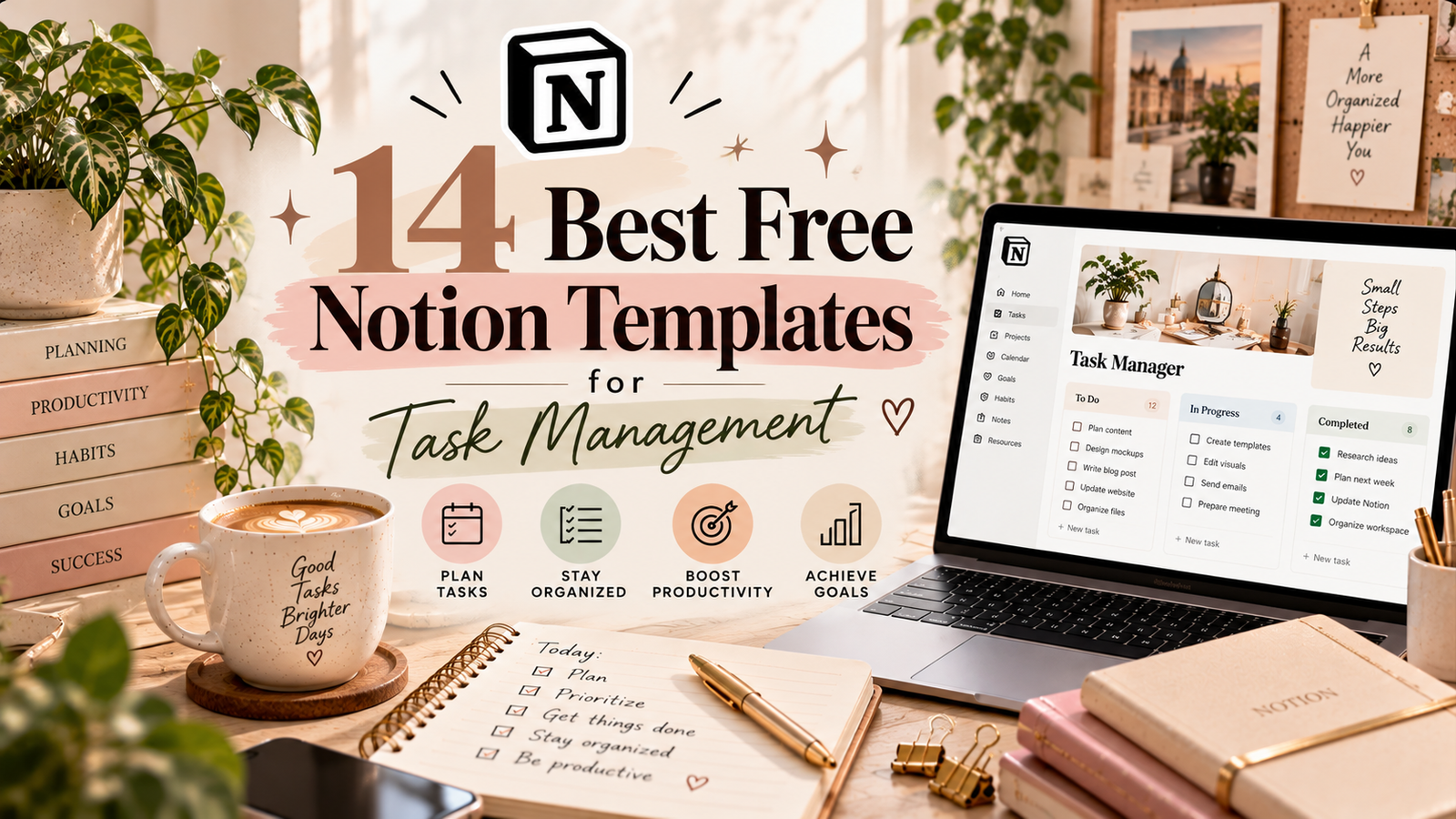
14 Best Free Notion Templates for Task Management
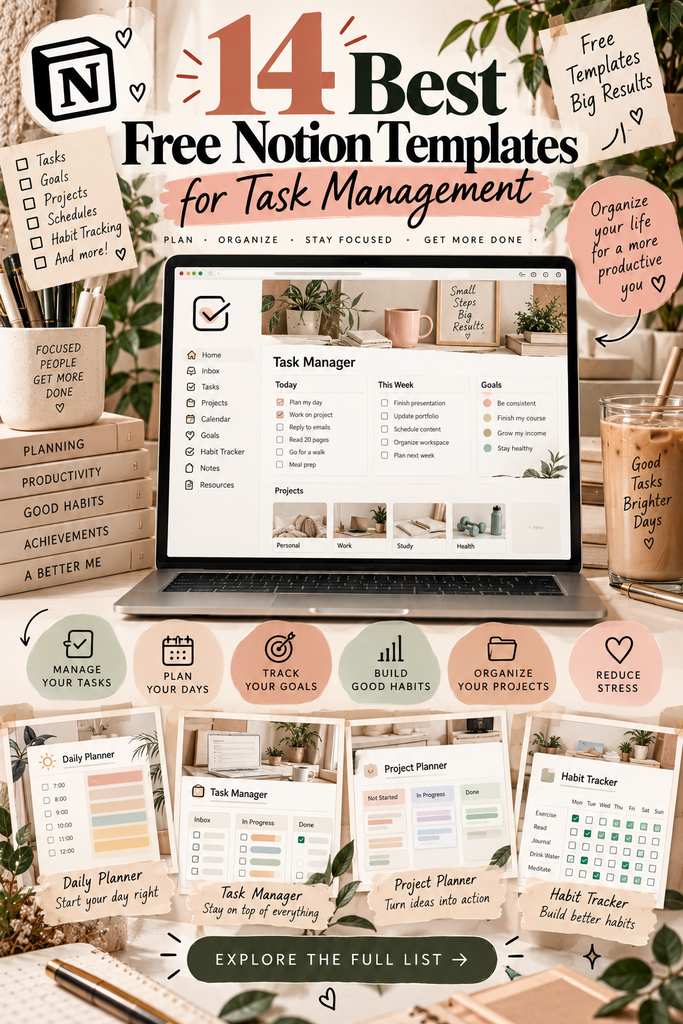
Staying organized can be challenging when you have assignments, work projects, personal goals, and everyday responsibilities competing for your attention. A well-designed Notion template can make managing all those tasks easier by giving you one place to plan your schedule, prioritize important work, and track your progress.
Whether you prefer a simple daily to-do list, a weekly planner, or a more comprehensive productivity system, Notion offers a flexible workspace you can customize to fit your routine. The right setup can help you spend less time deciding what to do next and more time actually getting things done.
In this guide, you’ll find 14 Notion templates for task management, including daily task lists, GTD-inspired systems, project trackers, and broader life planners. Each option serves a slightly different purpose, so you can choose a setup that matches the way you work.
Table of Contents
- Daily Task List Notion Template
- SuperSimple Task Manager
- Execution System Lite
- To-Do List Notion Template
- Getting Things Done (GTD)
- Project and Task Tracker
- Notion Daily Planner
- Daily Planner Template
- Weekly Planner
- GTD Aesthetic Productivity Plan
- Minimal OS Life Planner
- Notion Life OS Template
- Notion Template Creator Planner
- Freelance Client & Project CRM
- How to Choose the Right Template
- Frequently Asked Questions
14 Best Notion Templates for Task Management
The templates below cover different approaches to organization, from straightforward task lists to systems designed to manage projects and several areas of life. Before choosing one, consider whether you need a simple checklist, a time-based planner, or a more detailed workspace.

1. Daily Task List Notion Template
A daily task list is a practical starting point if you want to organize your responsibilities without building a complicated productivity system. This template is worth considering if your main goal is to collect tasks in one place and focus on what needs to be completed today.
Use a daily list to separate essential tasks from less urgent activities and create a clear plan before starting work. A simple setup can be especially useful when you are building a consistent planning habit.
Best for: Everyday to-do lists, personal responsibilities, and simple daily planning.
Explore Template
2. SuperSimple Task Manager Notion Template
If elaborate dashboards make you feel overwhelmed, a straightforward task manager may be a better fit. The SuperSimple Task Manager is an option to explore if you want a more focused workspace for keeping track of what needs to be done.
A minimal task-management approach can make it easier to review your priorities regularly without spending too much time maintaining your system.
Best for: Minimalist workflows and people who prefer simple organization.
Explore Template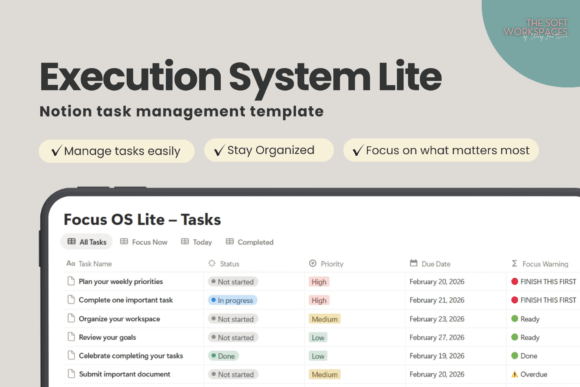
3. Execution System Lite – Notion Task Manager
Planning is only useful when it helps you take action. An execution-focused task manager may suit people who want to turn a list of intentions into concrete next steps.
Consider this option if you tend to collect ideas and tasks but struggle to move them forward. Before choosing it, review the product preview to see how its workflow handles priorities and task progress.
Best for: Action-oriented planning and keeping important work moving.
Explore Template
4. To-Do List Notion Template
A classic to-do list is useful when you need a reliable place to record errands, reminders, work tasks, and small personal projects. Rather than keeping separate lists in several apps, you can use Notion as a central place to review your responsibilities.
This type of template can also be a good foundation for a more detailed system later, once you understand which features you actually need.
Best for: Beginners, everyday checklists, and general task tracking.
Explore Template
5. Getting Things Done (GTD) Notion Template
Getting Things Done, commonly known as GTD, is a productivity method built around capturing tasks, clarifying what they require, organizing them, and reviewing them regularly. A GTD-inspired Notion template can help you create a more structured workflow for managing commitments.
This approach is particularly useful if your tasks arrive from many different areas of life and you need a consistent process for deciding what to do next.
Best for: People managing many responsibilities who want a structured productivity method.
Explore Template
6. Notion Project and Task Tracker Template
When a project contains multiple tasks, deadlines, and stages, an ordinary checklist may not provide enough structure. A project and task tracker is worth exploring if you want to organize individual tasks within larger pieces of work.
Before using it for a complex project, check whether the template includes the views and fields you need, such as status, deadlines, task owners, or project categories.
Best for: Personal projects, multi-step tasks, and organizing ongoing work.
Explore Template
7. Notion Daily Planner
A daily planner can help you look at your day as a whole rather than treating every task as an isolated item. It may be a useful option if you want to coordinate your priorities with your schedule and create a repeatable morning or evening planning routine.
Review the template layout to determine whether it offers enough space for your daily priorities, appointments, and notes.
Best for: Daily planning, balancing commitments, and building routines.
Explore Template
8. Daily Planner – Notion Template
This is another daily-planning option to compare if you want a dedicated space for organizing each day. Looking at more than one planner can help you find a layout that feels natural instead of forcing yourself to use a system that does not suit your habits.
Compare its preview with the previous daily planner and look for differences in layout, included sections, and the level of detail required to maintain it.
Best for: People comparing daily planning layouts before choosing one.
Explore Template
9. Notion Template – Weekly Planner
If planning one day at a time makes it difficult to see the bigger picture, a weekly planner may be more helpful. It gives you a way to think about upcoming commitments, spread work across the week, and avoid leaving every important task until the last minute.
A weekly view can also make it easier to notice when your schedule is overloaded and move lower-priority tasks to a more realistic date.
Best for: Weekly priorities, deadline planning, and balancing a busy schedule.
Explore Template
10. GTD Aesthetic Productivity Notion Plan
Some people prefer a workspace that combines an organized productivity method with a visually appealing layout. This GTD-inspired option is worth reviewing if both structure and appearance matter to you.
Remember that an attractive dashboard is only useful if it makes everyday planning easier. Check how the template organizes tasks and whether its features fit your actual workflow.
Best for: Users who want a visually styled productivity workspace with a GTD-inspired approach.
Explore Template
11. Minimal OS – Notion Life Planner
A life planner takes a broader approach than a task list by helping you organize responsibilities across different areas of your life. The Minimal OS option may appeal to people who prefer a clean, uncluttered workspace.
Consider this type of system if you want to connect your daily tasks with personal goals and routines. If you only need a short checklist, however, a simpler template may be easier to maintain.
Best for: Minimalist organization and coordinating tasks with broader personal goals.
Explore Template
12. Notion Life OS Template
A Life OS workspace is designed around the idea of bringing several parts of everyday organization into one system. Depending on its included features, it may help you connect tasks with projects, plans, and personal routines.
Before choosing a comprehensive setup, make sure you will actually use its different sections. A larger system can be helpful, but only if maintaining it does not become another task on your to-do list.
Best for: People who want a central workspace for multiple areas of life.
Explore Template
13. Notion Template Creator Planner
Creating digital products involves more than coming up with ideas. A creator-focused planner may be useful for organizing content plans, product development tasks, research, and other steps involved in building a creative project.
This option is more specialized than a general to-do list, so check the product preview to see whether its workflow matches the way you develop and manage your own projects.
Best for: Notion creators, digital product makers, and creative project planning.
Explore Template
14. Freelance Client & Project CRM Notion
Freelancers often need to manage more than their personal tasks. Client communication, project deadlines, deliverables, and follow-up activities can quickly become difficult to track across different tools.
A client and project CRM may help bring these responsibilities together. Check the template’s features before choosing it, especially if you need to track client details, project stages, or upcoming deadlines.
Best for: Freelancers who want to organize client-related tasks and project workflows.
Explore TemplateHow to Choose the Right Notion Task Management Template
The best template is not necessarily the one with the most features. It is the one that makes your everyday responsibilities easier to manage and is simple enough for you to use consistently.
1. Start with the problem you want to solve
If you forget small tasks, begin with a to-do list. If you struggle to organize your schedule, look at daily or weekly planners. If you manage several projects, consider a tracker that can group related tasks together.
2. Avoid unnecessary complexity
A dashboard with many databases and views can look impressive, but you may not need all of them. Choose a template with features you can realistically maintain rather than adding complexity before you need it.
3. Check whether the template is actually free
A product appearing in a collection of free templates does not guarantee that it is free at the time you visit. Check the current Creative Fabrica listing, including its price, access requirements, and any subscription conditions, before downloading.
4. Review the included features
Look at screenshots and the product description to see whether the template includes the views, fields, and planning sections you need. Do not assume that every template includes automatic reminders, advanced databases, or recurring tasks.
5. Give your new system time to work
Once you choose a template, use it consistently for a week before making major changes. Add only the features that solve a real problem. A simple system you use every day is often more useful than a complex one you abandon.
Simple Tips for Better Task Management in Notion
- Choose three daily priorities. Identify the most important tasks instead of treating every item as equally urgent.
- Use deadlines realistically. Give important tasks enough time and avoid filling every available hour.
- Separate projects from individual tasks. Break larger goals into smaller actions that are easier to start and finish.
- Review unfinished work. At the end of the day or week, decide whether to reschedule, delegate, or remove tasks that are no longer relevant.
- Keep your workspace manageable. Remove unused properties and sections when they make the template harder to navigate.
Frequently Asked Questions
Are Notion task management templates free?
Some Notion templates are available for free, while others are paid or require particular access conditions. Always check the current product listing before downloading. The templates in this article are options to explore, not a guarantee that every listing is free.
Which Notion template is best for beginners?
A simple daily task list or to-do list is usually a sensible starting point. These formats help you build a planning habit without requiring you to learn a complicated system. You can move to a project tracker or a broader planner when your needs grow.
What is the difference between a task manager and a daily planner?
A task manager focuses on recording and tracking work that needs to be completed. A daily planner generally places tasks within the context of a day, which may include appointments, routines, and time-based priorities. Some templates combine both approaches.
Can I customize Notion templates?
Notion pages and databases can generally be adapted to your needs, although the available features and permissions depend on the template and how it is shared. Review the listing instructions and make a copy when the creator provides that option.
Should I use one template for everything?
Not necessarily. One central workspace can be convenient, but separate systems may work better if you manage very different types of responsibilities. Start with the simplest setup that meets your needs and connect additional sections only when doing so improves your workflow.
Final Thoughts
The right Notion template can make task management feel more manageable by giving your responsibilities a clear place and helping you decide what deserves your attention. A simple to-do list may be enough for everyday tasks, while a weekly planner, GTD-inspired system, or project tracker may be more appropriate for a busier schedule.
Explore the options above, compare their previews, and choose a layout that fits the way you naturally work. Remember to verify current prices and access conditions before downloading, especially if you are specifically looking for a free template.
Most importantly, keep your system practical. The goal is not to spend more time organizing tasks, but to make it easier to take action and follow through on what matters.
You may also like:
- 20 Best Notion Templates for Productivity and Organization
- 13 Notion Templates for Smarter Planning and Productivity
- 19 Aesthetic Notion Templates to Organize Your Life
- 14 Notion Templates for Wellness, Self-Care and Mindfulness
- 25 Best Notion Templates for Freelancers and Businesses
- 10 Best Notion Templates for Students and Study Planning